Automotive Manufacturing Maintenance Software

When a stamping press stops mid-run, find out what failed last time, who owns the repair, and whether the right spare is in stock. MaintBoard links breakdowns, preventive maintenance, and parts usage to each asset across stamping, welding, and assembly.
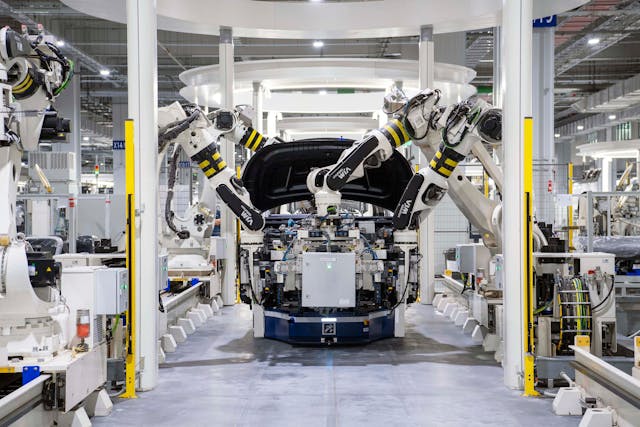
  • Compare repeat press alarms across shifts and record which die was running.
  • Plan weld fixture inspections and conveyor drive checks around changeovers and planned stops.
  • Check stock for sensors, seals, and drive spares before releasing planned work.
Automotive manufacturing maintenance workflow in MaintBoard

Where maintenance loses time on an automotive line

The same press alarm returns on the next shift

The line restarted after the last call, but the next technician needs the alarm, die ID, and repair notes to see what the two stops have in common.

Press faults and die repairs get mixed together

A stop can involve the press, the transfer equipment, or the die. Recording which asset was serviced gives maintenance and tooling teams a history they can use.

The repair is assigned, but the replacement sensor is missing

A part number on the job only helps if stores can confirm the matching spare, the quantity available, and where it is stocked.

Example workflow

A stamping press stops on a repeat transfer alarm

Step 1

Report the stop with the press and die details

The operator logs the alarm and die in use against the press. The supervisor assigns the work order so production knows who is handling the stop.

Step 2

Compare the earlier repair with today’s findings

The technician finds that the previous shift adjusted a transfer position sensor. This time, the technician identifies a damaged sensor cable and asks stores to check the matching replacement.

Step 3

Record what was repaired and how long the line was down

The technician records the finding, the replacement part, and the work completed. The supervisor records downtime on the breakdown work order.

Step 4

Assign the check that needs the next planned stop

The supervisor creates a follow-up job to inspect the cable routing. It has its own owner and due date, so the job stays visible after the press restarts.

Prepare maintenance work before the line is available

Keep press and die work traceable

Link the repair to the asset that was serviced. Record the die in use when it matters, so the next shift can compare stops across different production runs.

Fit preventive maintenance into production windows

Plan press lubrication, weld fixture checks, and conveyor drive inspections. Review overdue jobs with production before assigning work to a changeover or planned stop.

Check critical spare parts by storeroom

Verify sensor, seal, or drive stock before the work window. Record quantities used on the work order so stores can review what needs replenishment.

Track maintenance by line, cell, and asset

Stamping presses and transfer equipment

Review press alarms, transfer faults, and preventive work by asset. Track dies separately where your tooling team maintains its own records.

Robotic weld cells

Keep robot, weld gun, and fixture work orders with the equipment record so recurring faults are easier to compare.

Assembly lines

Track work on conveyor drives, pallet transfers, and stations. Coordinate jobs that require a line stop with production.

What to review with production and maintenance

Repeat press and line stoppages

Compare repeat alarms and recorded downtime to decide whether a press, weld cell, or transfer needs closer investigation.

Downtime

Preventive maintenance completed by the due date

Review which recurring jobs were completed on time and which still need a slot in the production schedule.

On-time PM

Critical spares below minimum stock

Compare flagged sensors, seals, and drive spares with upcoming work before deciding what to replenish.

Low stock

Automotive manufacturing maintenance software FAQs

What should we look for in CMMS software for the automotive industry?
Ask to see a press stop move from operator report to repair and follow-up. Check whether the technician can find the last repair by asset, record the parts used, and see which preventive jobs are overdue.
Can automotive CMMS software help us investigate repeat line stoppages?
Yes. Record the alarm, asset, downtime, and findings on each work order. Compare earlier repairs to see whether the same symptoms recur across shifts or with a particular die in use.
Can we separate die work from press maintenance?
Yes. If your tooling team tracks dies separately, give each die its own asset record. Link the work order to the asset serviced and capture the die in use on the press job when it is relevant.
How can we plan preventive maintenance around production changeovers?
Review recurring press, weld cell, and conveyor jobs with production. Assign work to the agreed window and keep any jobs that could not be completed visible for the next stop.
Can we track spare parts used on press and weld cell repairs?
Yes. Check stock by storeroom, then record the part and quantity used against the work order. Review parts below minimum stock alongside upcoming jobs.
Does MaintBoard fit automotive component suppliers as well as assembly plants?
Yes. Organize assets by line or cell whether you maintain presses and tooling in a component plant or weld cells and conveyors in an assembly plant. Each asset keeps its own preventive jobs, work orders, and repair history.

Bring a maintenance job from your automotive plant

Show us a press that keeps tripping, a weld cell with overdue inspections, or a repair waiting for a spare. We’ll walk through how your team would assign the work, record what happened, and follow up in MaintBoard.