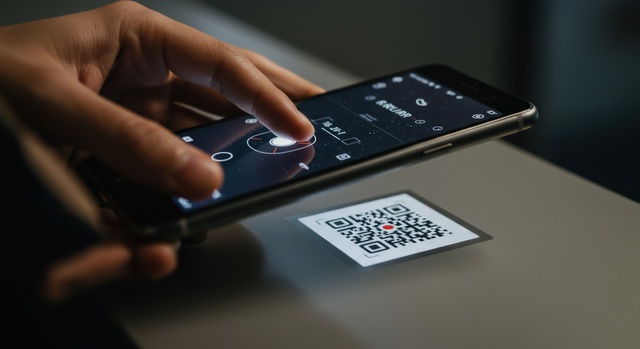
MaintBoard Mobile Maintenance Software
Mobile-First Maintenance Execution
Complete work orders, inspections, and asset lookups on the go.
MaintBoard Mobile empowers technicians to complete jobs faster with QR-code access, checklists, photos, offline mode, and instant communication—directly from their phones.
Key Benefits
- Technicians complete work anywhere—online or offline
- Scan QR codes to access asset history instantly
- Capture photos, notes, and evidence on-site
- Follow guided checklists and SOPs on mobile

Problems Mobile Maintenance Solves
- Technicians Don't Have Asset Information in the Field
- Paper-based job cards and outdated manuals slow down repairs.
- Slow Response to Breakdowns
- Supervisors cannot assign or track breakdowns in real time.
- No Evidence of Work Completed
- Technicians fail to capture proper photos, notes, or readings.
- Technicians Can't Find Assets Quickly
- Large plants and facility floors make assets hard to locate.
- No Mobile Access to Checklists or SOPs
- Teams work inconsistently without standardized instructions.
- No Offline Capability
- Basements, remote sites, and factory dead zones halt work.
Workflow
How MaintBoard Helps Technicians Work Faster
MaintBoard eliminates delays by providing technicians everything they need—assets, tasks, checklists, history, and instructions—right on their mobile devices.
- Scan Asset QR Codes
- Instantly view history, manuals, previous breakdowns, and open jobs.
- Complete Work Orders in the Field
- Technicians update status, add time, parts, and close jobs from mobile.
- Follow Mobile Checklists
- Guided steps ensure consistent execution for PMs and inspections.
- Capture Photos & Evidence
- Attach photos, videos, and comments to ensure audit-ready documentation.
- Receive Push Notifications
- Technicians get notified instantly about new jobs, approvals, or escalations.
- Works Offline
- Technicians can complete tasks without network; sync automatically later.
- Access SOPs & Manuals
- View documents directly during maintenance or troubleshooting.
- Log Notes, Feedback & Readings
- Technicians add comments, measurements, and findings easily.
Features
Key Mobile Maintenance Features
MaintBoard's mobile app helps teams work faster, safer, and more consistently, no matter where they are in the plant.
- QR Code Asset Access
Scan to open asset details, jobs, manuals, and maintenance history.
- Mobile Work Orders
Update status, add time, parts, and close jobs on-site.
- Digital Checklists
Technicians follow standardized, step-by-step instructions.
- Photos, Notes & Evidence Capture
Ensure proper documentation for audits and supervisors.
- Offline Mode
Technicians continue working without network interruptions.
- Push Notifications
Instant alerts for new assignments, approvals, and escalations.
Built for Every Technician.
MaintBoard Mobile works across industries where technicians operate in the field, on the shop floor, or across large facilities.

- Manufacturing Plants.
- Technicians scan machine QR codes, complete PMs, and log breakdowns instantly.
- Facilities & Buildings.
- Manage HVAC, electrical, plumbing, and fire inspections from mobile.
- Fleet & Transport.
- Perform vehicle inspections and roadside repairs using mobile workflows.
- Process Industries.
- Technicians update readings, log parameters, and capture evidence instantly.
- Energy & Utilities.
- Field teams complete jobs at remote substations and plants, even offline.
- Smart Factories & IoT.
- Mobile access to sensors, meters, and real-time alerts.
Metrics
Impact of Mobile-Driven Maintenance
Teams using MaintBoard Mobile achieve faster response times, higher PM completion rates, and better audit readiness.
50–60%
Faster work order completion
Technicians finish jobs on-site without returning to a workstation.
90%+
Higher PM compliance
Checklists and reminders ensure nothing is missed.
2×
Better documentation quality
Photos, notes, and readings make every job audit-ready.
Mobile Maintenance FAQs
- Does MaintBoard support offline mode?
- Yes. Technicians can complete work orders, checklists, and evidence even without network coverage.
- Can technicians access asset history on mobile?
- Yes. QR code scanning opens complete history, manuals, past breakdowns, and PM records.
- Can technicians upload photos?
- Yes. They can capture photos, add notes, attach evidence, and log measurements.
- Does the mobile app support SOPs and manuals?
- Yes. All documents are accessible from the mobile interface during job execution.
- Can supervisors assign jobs from mobile?
- Yes. Supervisors can assign, reassign, and approve work orders on the go.
Empower Your Technicians With Mobile Maintenance
Digitize inspections, speed up repairs, and reduce downtime with a fully mobile maintenance experience.