Supervisors: plan and follow up
Review requests, assign work, schedule PMs, and see which jobs are open, overdue, in progress, or completed.
MaintBoard is maintenance management software (CMMS) for manufacturing plants and facilities worldwide. Manage breakdowns, preventive maintenance, assets, and spare parts in one place, with a clear record of the work completed.
Remote onboarding, live online training, and ongoing support worldwide. On-site training is available by arrangement.
Give supervisors, technicians, and managers a shared view of open work, overdue PMs, asset history, and spare parts.
Review requests, assign work, schedule PMs, and see which jobs are open, overdue, in progress, or completed.
View assigned work and asset details, then record checklist responses, photos, remarks, and parts consumed from the shop floor.
Keep work orders, inspections, calibration, photos, and maintenance history easier to find during audits and reviews.
Keep the reported issue, assigned work, checklist responses, parts consumed, and completion remarks connected to the asset.
MaintBoard follows the way maintenance work usually happens: someone raises a request, the work is assigned, technicians update the job, records are captured, and the history is available later.
Create, assign, prioritize, update, and close maintenance jobs with clear status and ownership.
Schedule recurring PMs, inspections, and meter-based work so planned jobs are easier to complete on time.
Keep asset details, locations, breakdown and PM history, recorded failure codes, and actions taken together.
Track stock, stores, part usage, reorder points, and maintenance consumption by work order.
Track due dates, records, certificates, checklists, and audit-supporting maintenance evidence.
Review repeat breakdowns, downtime, MTTR/MTBF, PM completion, and maintenance records to identify where action is needed.
These are the screens your team can use to track work orders, PMs, assets, spare parts, and maintenance reports from one system.
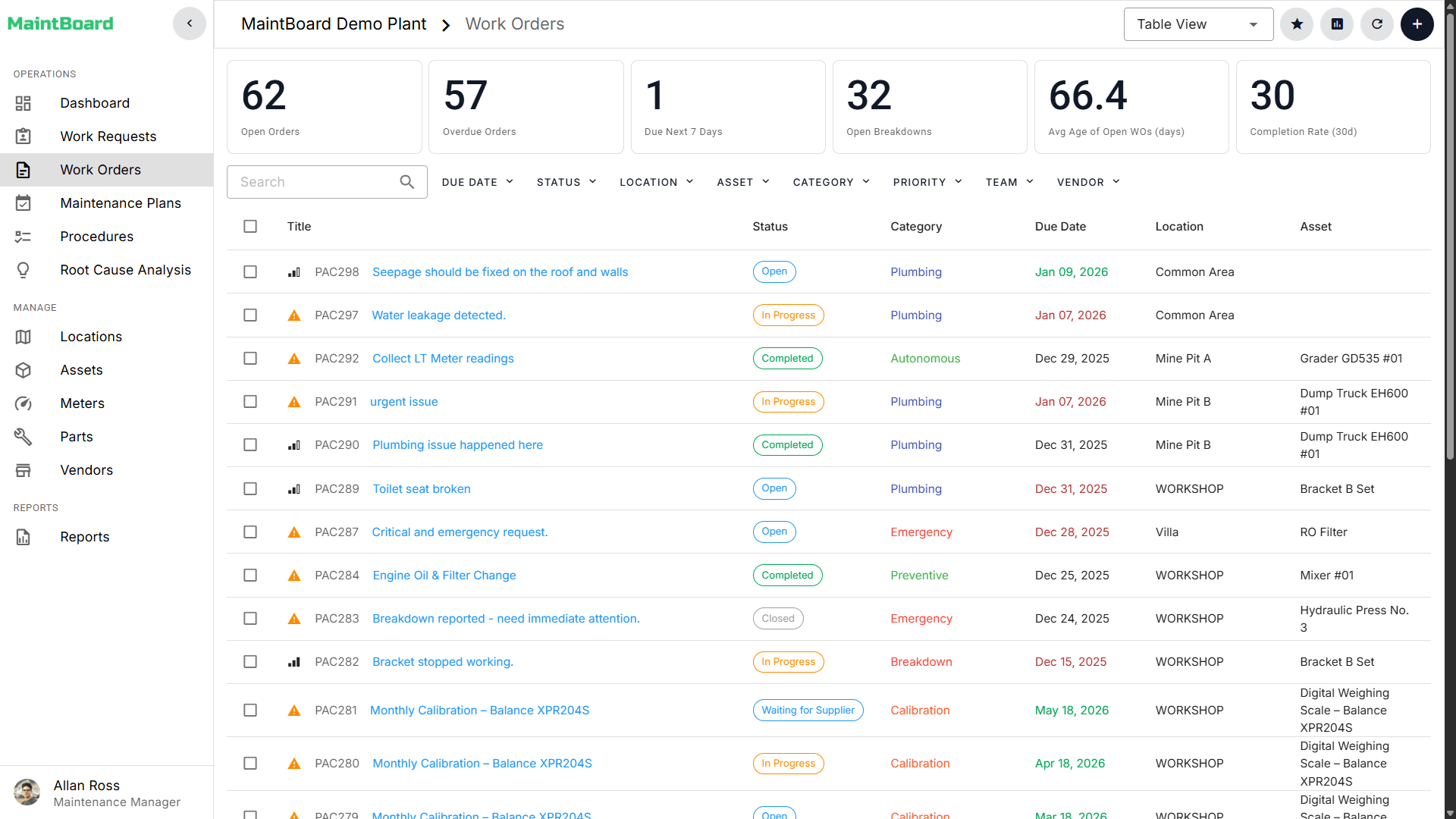
Track jobs from request to closure.
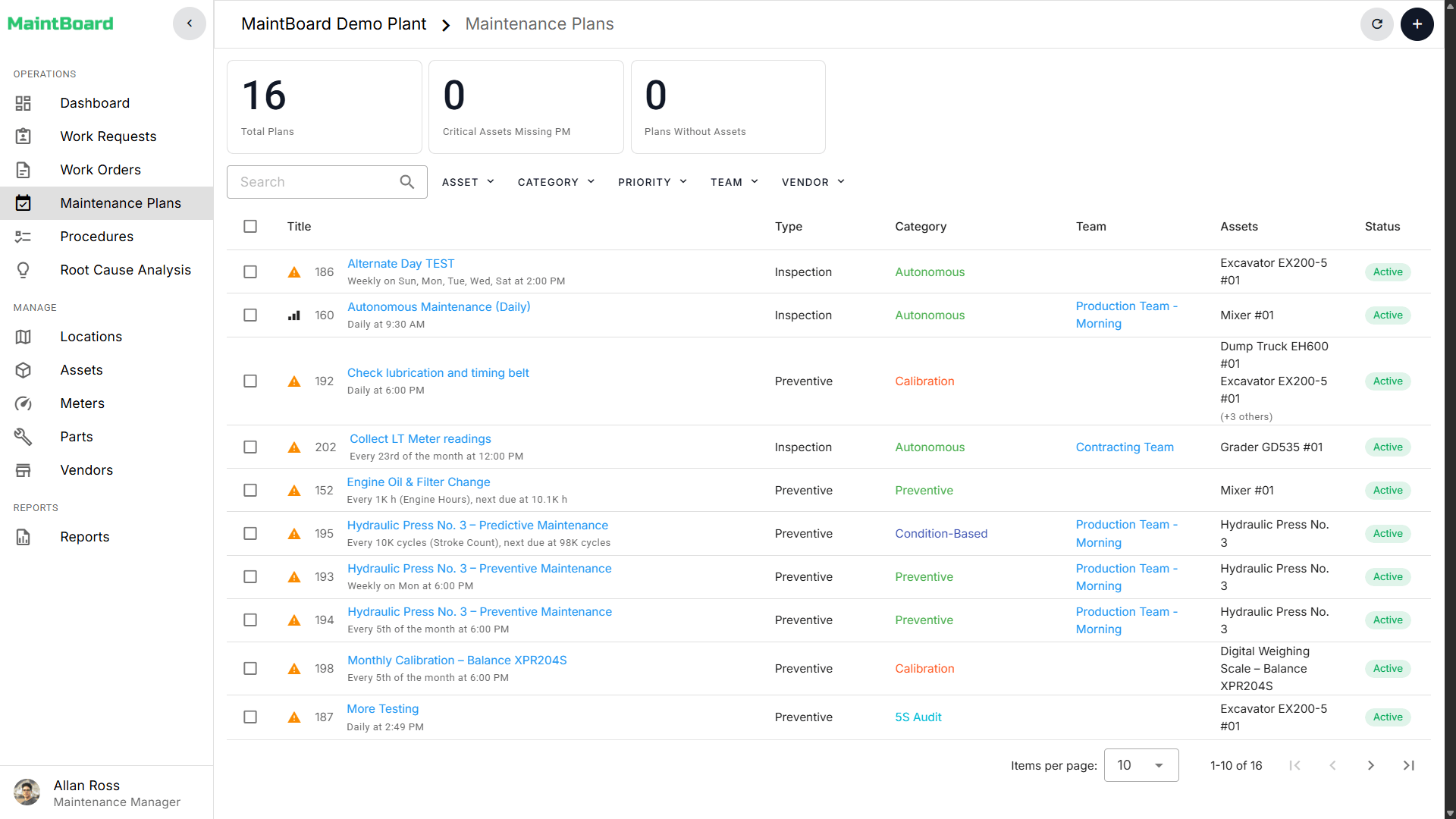
See overdue and upcoming maintenance.
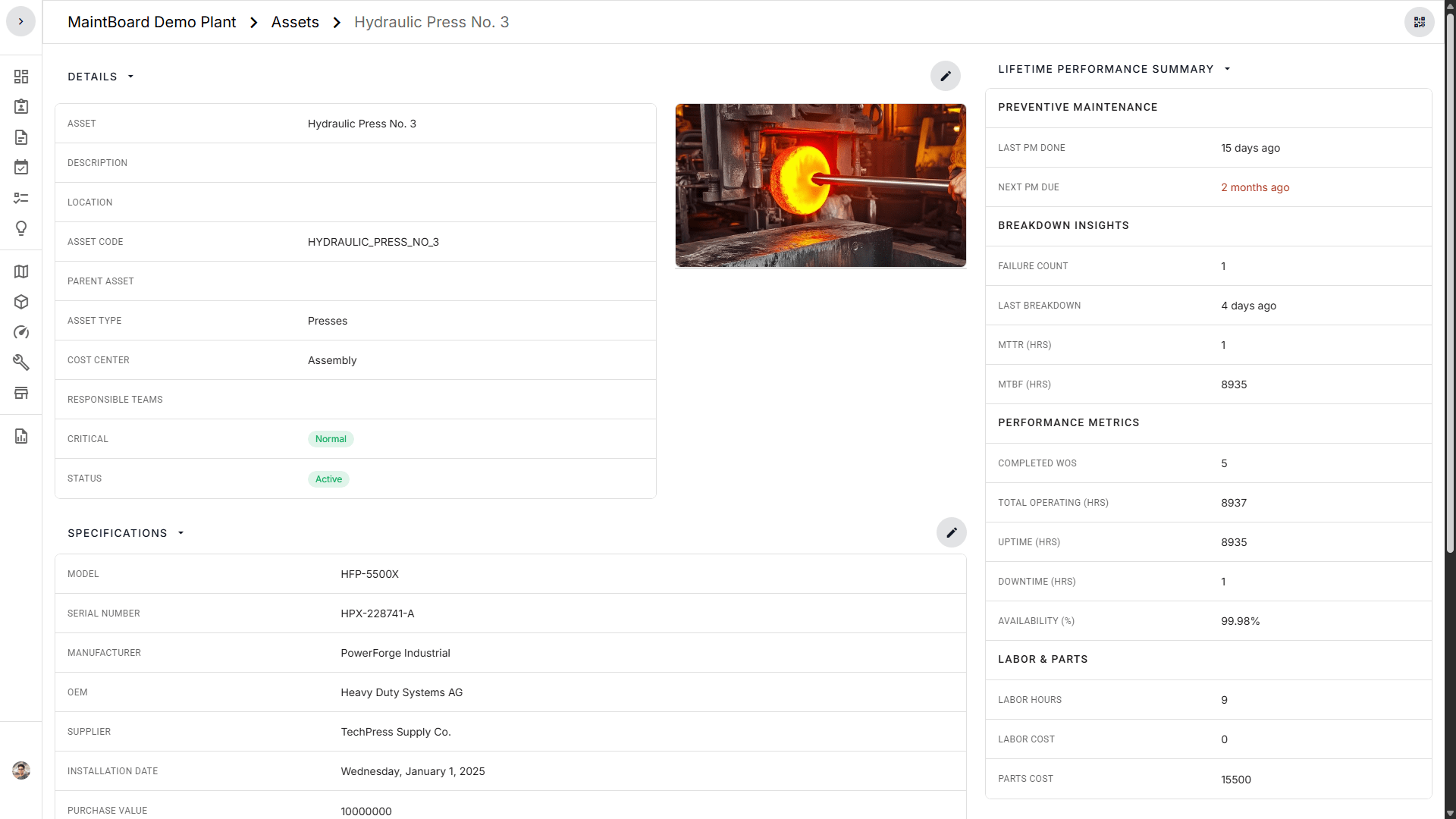
Review failures, history, and status.
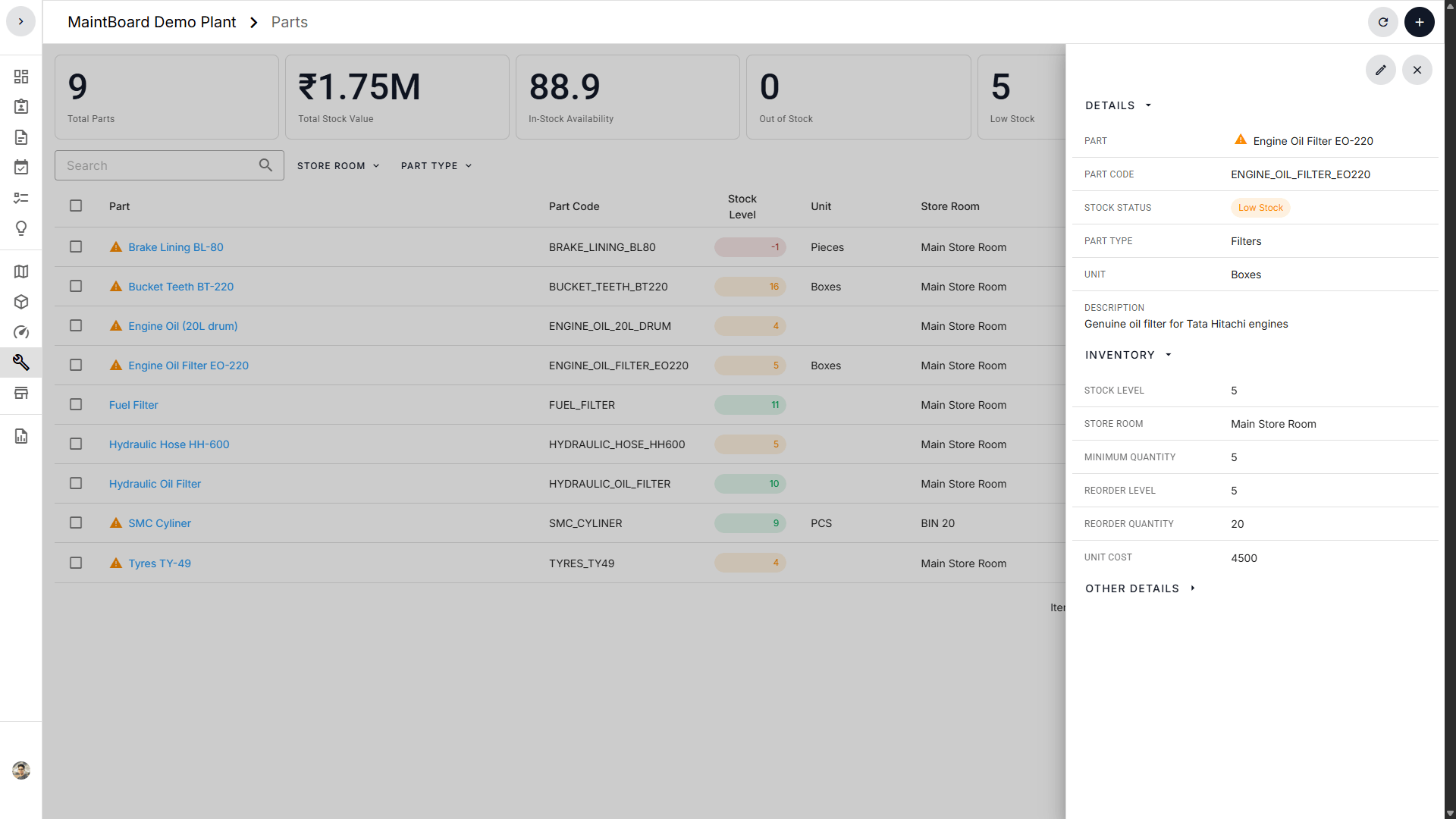
Track stock levels, reorder needs, and usage.
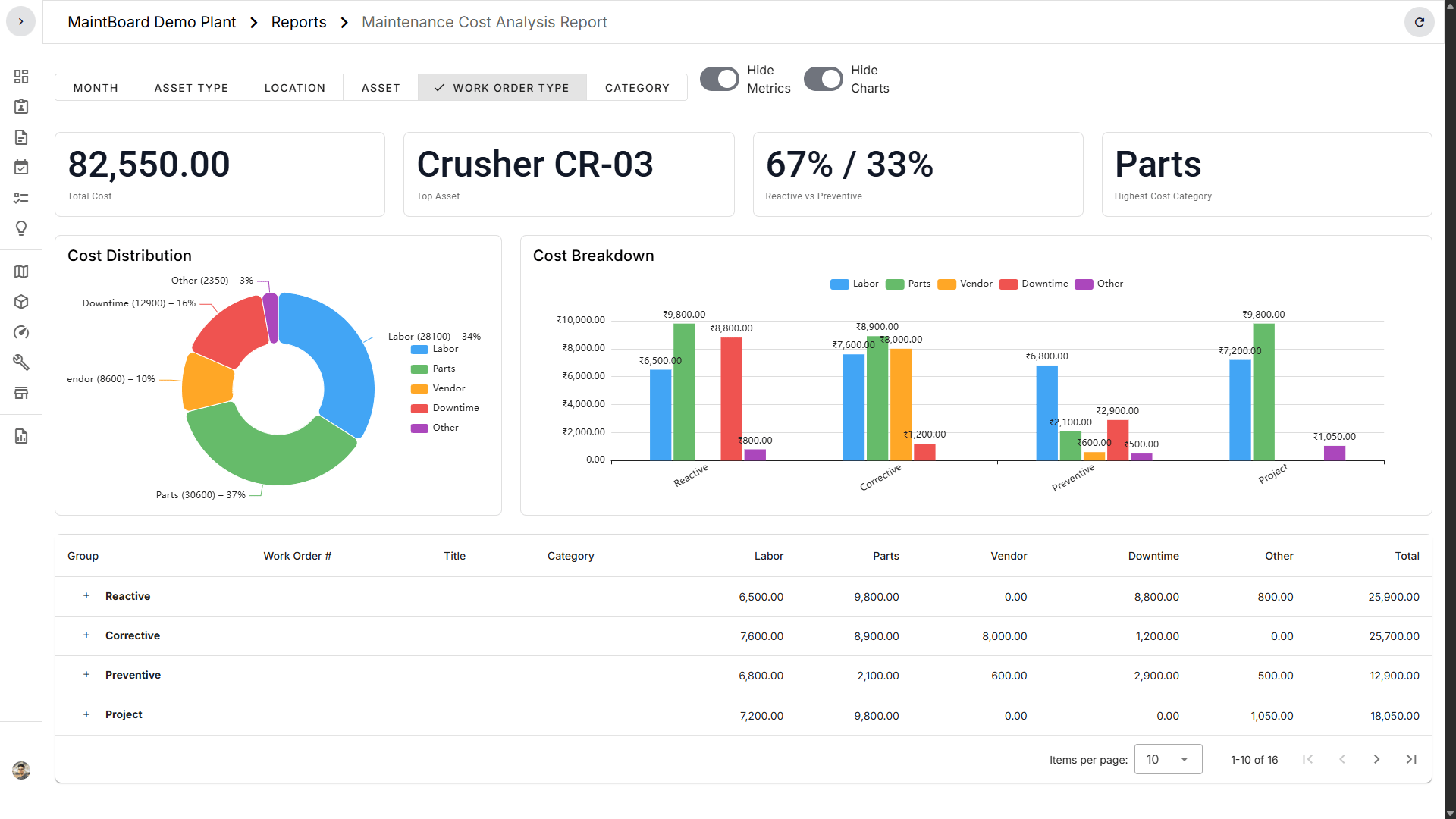
Review open work, PMs, downtime, and records.
Evaluate MaintBoard against your maintenance process, technician workflows, reporting needs, and implementation requirements.
MaintBoard supports teams that need better control over work orders, assets, PMs, spare parts, calibration, inspections, and maintenance history.
Track production assets, PM work, breakdown follow-up, and spare usage.
Manage HVAC, electrical, plumbing, and building maintenance work.
Keep guest facilities, kitchens, utilities, and support assets maintained.
Track heavy equipment service, inspections, and repair history.
Manage equipment maintenance, calibration records, and facility follow-up.
Track refrigeration, MHE, inspections, and maintenance history.
Plan servicing, inspections, and repair follow-up for fleet assets.
Based in India and serving manufacturing plants and facilities worldwide, MaintBoard provides remote onboarding, live online training, and ongoing product support. On-site training and implementation assistance are available by arrangement.
Prepare your data, configure agreed workflows, and plan go-live with guidance from the MaintBoard team, wherever your sites are located.
Train technicians, supervisors, stores staff, and managers on their daily tasks. Live online sessions are available worldwide; on-site delivery is arranged to suit the agreed scope.
Get help with product questions and everyday use after go-live, with support channels, coverage hours, and response commitments specified in your agreement.
Training schedules, on-site availability, applicable fees, and support coverage are agreed before rollout.
Book a demo to explore the product, or request a quote directly if you know your requirements. A demo is optional.
Step 1
We understand how your team manages maintenance now: Excel, paper, WhatsApp, ERP, or another CMMS.
Step 2
Confirm the sites, users, modules, and implementation scope. Receive a tailored quotation within 2 working days of confirming your requirements.
Step 3
We discuss users, sites, roles, data setup, training, and the simplest starting point for your team.
See how MaintBoard handles your maintenance workflows, or request a tailored quote for your sites, users, and implementation needs.