MaintBoard Spare Parts Inventory Management Software

Spare Parts & Inventory Management

Track spare parts, stock movements, and reorder needs in one place

MaintBoard helps maintenance and stores teams manage spare stock, part usage, min and max levels, and issue history without relying on separate spreadsheets.

What Is MaintBoard Spare Parts Inventory Management Software?

MaintBoard Spare Parts Inventory Management Software helps teams manage spare stock, issue parts to work orders, track movements, and review reorder needs in one system.
Key Benefits

  • Reduce stockouts during urgent maintenance work
  • Track which parts were used on each asset or work order
  • Review stock by store, site, or category
  • Keep reorder planning and inventory history more organized
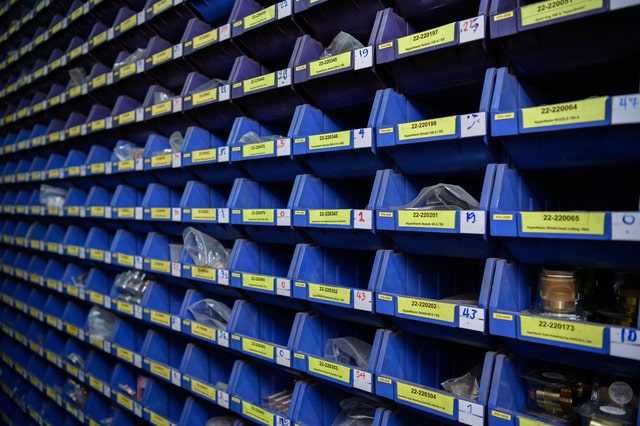
Stores team managing spare parts inventory using MaintBoard CMMS

Problems

Problems Spare Parts Management Software Helps Solve

Frequent Stockouts

Maintenance work gets delayed when critical parts are unavailable at the right time.

Overstock and Slow-Moving Items

Without a clear view of usage, teams may keep too much of the wrong stock.

No Part Usage Traceability

Teams need to know which parts were issued to which asset or work order.

Unclear Stock Movement

Part issues, returns, and transfers are harder to track when they are handled manually.

Slow Reordering

Shortages are noticed too late when min and max levels are not reviewed consistently.

Separate Records by Store or Site

Inventory planning becomes harder when each store keeps its own spreadsheet.

Inventory Workflow

How MaintBoard Helps Teams Manage Spares

MaintBoard keeps stock records, part usage, and reorder follow-up closer to the maintenance workflow.

Step 1

Create a Parts Catalog

Define part codes, categories, units, vendors, and storage locations in one place.

Step 2

Review Current Stock

Track available quantity, reserved stock, and balance by store or site.

Step 3

Record Stock In and Stock Out

Log receipts, issues, returns, and adjustments with a clear movement record.

Step 4

Link Parts to Maintenance Work

Track which parts were used on work orders and against each asset.

Step 5

Review Low Stock Alerts

See when items are approaching reorder levels so shortages are easier to spot.

Step 6

Raise Purchase Follow-Up

Use stock shortages as a trigger for purchase planning and stores review.

Step 7

Keep Inventory History

Maintain a record of movement, users, dates, and reasons for issue or return.

Inventory Control

Key Spare Parts and Inventory Features

MaintBoard helps teams organize stock records, part issues, and reorder planning more clearly.

Central Parts Catalog

Standardize part records across stores, sites, and maintenance teams.

Multi-Store Inventory

Keep separate stock balances for different stores, sites, or departments.

Stock Movement Tracking

Review receipts, issues, returns, and adjustments with a clear record of movement.

Reorder Level Review

Use min and max levels to make low-stock items easier to spot.

Consumption Review

Understand which parts move faster and which assets consume more spares.

Purchase Follow-Up

Support reorder and procurement review when shortages need attention.

Where Teams Use Spare Parts Management

MaintBoard helps manage spare parts, consumables, tools, and maintenance stock across different operations.

Manufacturing Plants
Track mechanical, electrical, and line-side spare parts for production assets.
Facilities & Buildings
Manage filters, electrical items, plumbing components, and building maintenance stock.
Process Industries
Keep critical spares for pumps, valves, compressors, and utilities more organized.
Fleet & Transportation
Track service parts, consumables, and repair stock for vehicles and equipment.
Healthcare & Labs
Manage equipment consumables, replacement items, and maintenance support stock.
Energy & Utilities
Track maintenance stock for electrical systems, generators, and utility assets.
Inventory management use cases

Metrics

What Teams Want From Better Spare Parts Control

A clearer inventory process helps teams support maintenance work without relying on guesswork.

stockout risk

Low stock is easier to review when balances and reorder levels are visible.

Lower

part usage history

Teams can review where parts were issued and which assets or jobs used them.

Clearer

reorder planning

Stores and maintenance teams can review shortages earlier and plan follow-up more clearly.

Better

Spare Parts and Inventory FAQs

Can MaintBoard manage multiple stores or warehouses?
Yes. Teams can keep separate stock records for different stores, sites, or departments.
Can I set min and max levels for each spare part?
Yes. MaintBoard can help teams review low stock based on the levels they define.
Can inventory be linked to work orders and asset history?
Yes. Part issues can be linked to maintenance work and asset records.
Can teams review stock movement history?
Yes. MaintBoard keeps a movement record for receipts, issues, returns, and adjustments.
Can MaintBoard support reorder planning?
Yes. Teams can use stock balances and reorder levels to support purchase follow-up.

See How MaintBoard Handles Spare Parts

Book a demo to review how MaintBoard can help your team manage stock, part usage, and reorder planning.