MaintBoard Calibration Management Software

Calibration Management for Plants, Labs & Facilities

Track calibration due dates, records, certificates, and readings in one place

MaintBoard helps teams schedule calibrations, store tolerances, capture readings, upload certificates, and keep calibration records easier to review.

What Is MaintBoard Calibration Management Software?

MaintBoard Calibration Management Software helps teams manage calibration schedules, readings, certificates, tolerance settings, and calibration history in one system.
Key Benefits

  • Review upcoming and overdue calibration work more clearly
  • Keep certificates, readings, and tolerance records together
  • Track instruments, gauges, sensors, and measuring devices
  • Make calibration records easier to retrieve during reviews
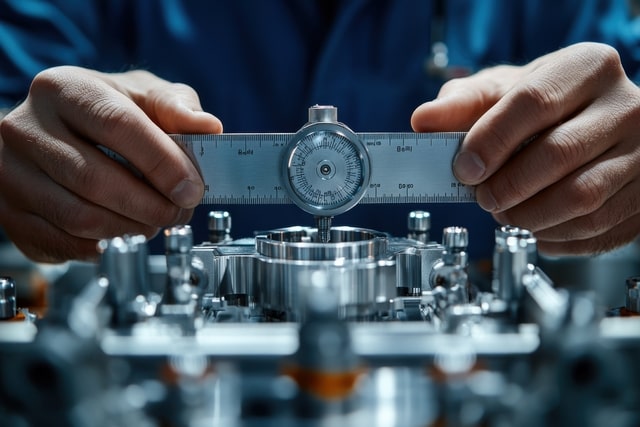
Technician performing calibration using MaintBoard

Problems

Problems Calibration Management Software Helps Solve

Missed Calibration Due Dates

Calibration work is easier to miss when teams track schedules in spreadsheets or separate logs.

Scattered Certificates and Records

Teams struggle when certificates, reports, and readings are stored across folders and email threads.

Tolerance Information Is Hard to Track

Limits, deviations, and related settings are harder to review when they are not stored in one place.

Calibration History Is Hard to Retrieve

Teams need easier access to past readings, results, and certificate records.

Inconsistent Calibration Execution

Without a standard workflow, technicians may follow different steps or record information differently.

No Clear View of Critical Instruments

Plants and labs need a clearer way to see which devices are due, overdue, or need follow-up.

Calibration Workflow

How MaintBoard Helps Teams Manage Calibration Work

MaintBoard keeps instruments, schedules, readings, and supporting records linked in one calibration workflow.

Step 1

Register Instruments and Devices

Create records for gauges, sensors, meters, and other measuring devices.

Step 2

Store Tolerances and Limits

Keep tolerance ranges, units, and acceptance details under the instrument record.

Step 3

Schedule Calibration Work

Track calibration dates by time or other planned intervals.

Step 4

Capture Readings and Results

Technicians can record readings, deviations, observations, and outcomes during calibration work.

Step 5

Upload Certificates and Reports

Store vendor certificates, internal reports, and related supporting files in the same workflow.

Step 6

Keep Calibration History

Store timestamps, users, readings, and result history for later review.

Step 7

Support Mobile Execution

Technicians can review calibration work and update results from the field.

Step 8

Review Out-of-Limit Results

Use the recorded readings to flag items that need closer review or follow-up.

Calibration Control

Key Calibration Management Features

MaintBoard helps teams manage calibration work and supporting records without relying on scattered files and spreadsheets.

Instrument Registry

Maintain a central record for gauges, meters, sensors, and measuring devices.

Tolerance Settings

Store ranges, units, and acceptance details for each instrument.

Digital Calibration Steps

Guide technicians through standard calibration tasks and related checks.

Certificate Storage

Keep certificates, reports, and supporting calibration files in one place.

Calibration History Review

Review past readings, results, and related records against the same instrument.

Calibration Dashboard

See upcoming work, overdue items, and calibration status more clearly.

Where Teams Use Calibration Management

MaintBoard calibration workflows can be used across plants, labs, facility systems, and other environments that rely on instrument records.

Manufacturing & Production
Track gauges, torque tools, sensors, pressure devices, and related measurement equipment.
QC Laboratories
Manage calibration work for lab instruments and related testing devices.
Facilities & Buildings
Track meters, sensors, and building devices that need calibration follow-up.
Medical & Pharma
Manage calibration records for medical devices, analyzers, and related instruments.
Electrical & Utility Systems
Track meters, testing equipment, and utility devices that need periodic calibration review.
Digital & Connected Devices
Keep calibration records for sensors, digital instruments, and related automation devices.
Calibration dashboard for QA teams

Metrics

What Teams Want From Better Calibration Control

A structured calibration workflow helps teams review due dates, records, and follow-up more clearly.

due date visibility

Teams can review upcoming and overdue calibration work more easily.

Clearer

record control

Certificates, readings, and calibration history stay linked to each instrument.

Better

record retrieval

Calibration information is easier to retrieve when it is stored in one system.

Faster

Calibration Management FAQs

Can MaintBoard store tolerance settings and readings?
Yes. Teams can keep tolerance details, readings, and related calibration results in the instrument record.
Can teams upload certificates from external calibration vendors?
Yes. Certificates, reports, and related files can be uploaded and stored with the calibration record.
Can MaintBoard help teams review overdue calibration work?
Yes. MaintBoard helps teams track upcoming and overdue calibration activity more clearly.
Can calibration records be reviewed later during audits or internal checks?
Yes. MaintBoard keeps calibration history and supporting records easier to retrieve and review.
Can technicians complete calibration work from mobile devices?
Yes. Technicians can review calibration tasks and record results from mobile workflows.

See How MaintBoard Handles Calibration Work

Book a demo to review how MaintBoard can help your team track due dates, certificates, readings, and calibration records.