Confirm the measurement point, unit, and operating conditions.
The reading and its context
MaintBoard helps plant teams act on changes in equipment condition. Record readings, compare them with previous measurements and configured limits, and assign an inspection when the trend needs a closer look.
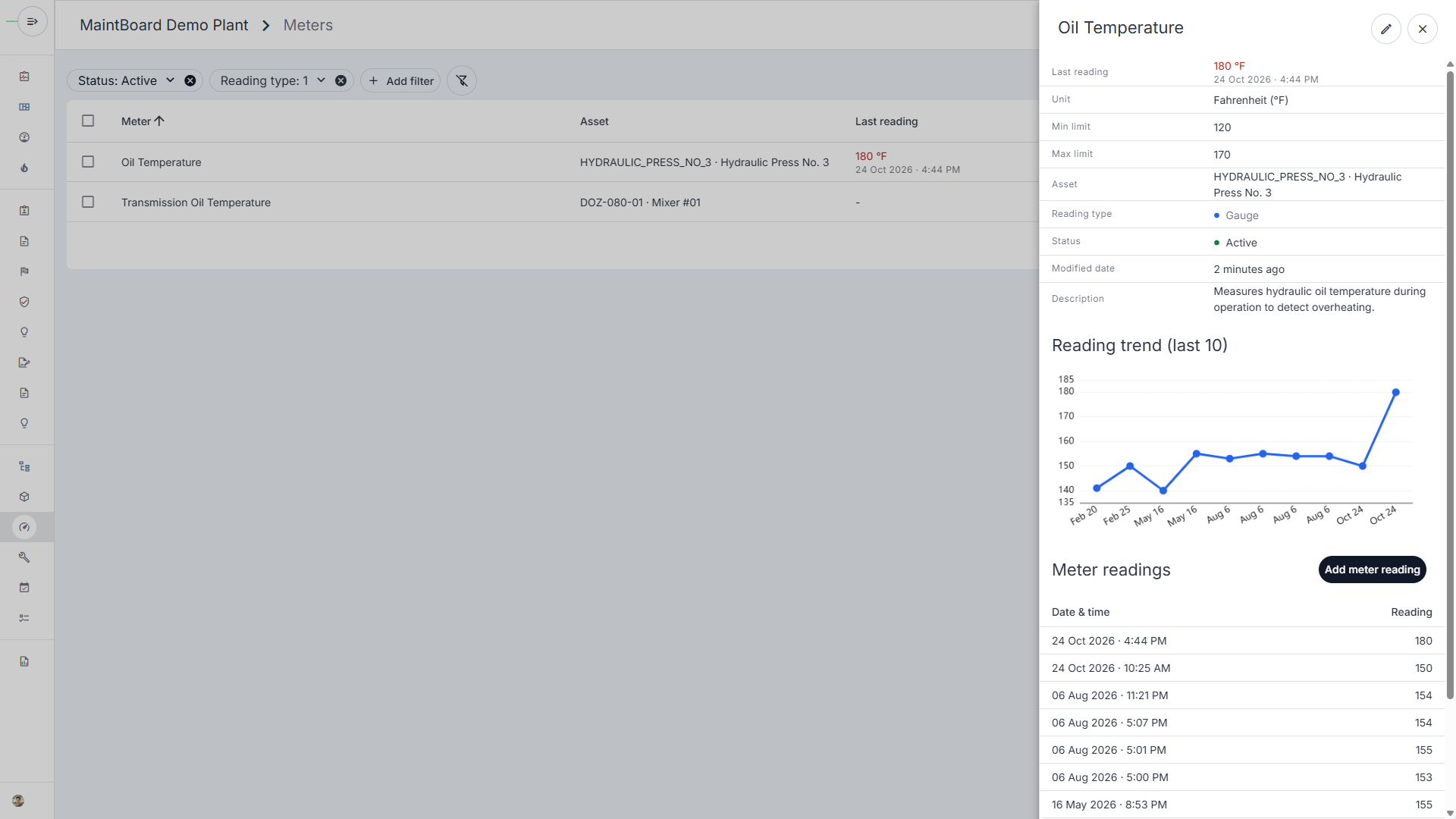
A hydraulic press records an oil temperature above the limit set for that machine. The maintenance team needs to see when the reading was taken, how it compares with earlier readings, and what the technician finds on inspection.
The team needs the measurement time and operating load to interpret a high oil-temperature reading.
Readings are harder to compare when the unit or measurement point changes.
When a reading calls for an inspection, someone needs to be assigned to investigate it.
Use the press's recorded oil temperature to decide whether to inspect the machine.
Link the temperature meter to the press, choose the correct unit, and use the limit approved by your plant.
Compare readings taken under similar operating conditions. Check whether the latest value crossed the limit or the trend warrants a closer look.
Have a technician investigate the condition and capture the findings. Compare subsequent readings after any corrective work.
Keep dated gauge readings such as temperature or pressure with the equipment.
Review readings against configured thresholds and compare them with previous results.
Record inspections and repairs so the next review shows what the team found and did.
Review oil temperature under comparable loads.
Track readings and inspection observations alongside pump history.
Review discharge temperature trends and record what an inspection finds.
Confirm the measurement point, unit, and operating conditions.
The reading and its context
Record what was found and whether it calls for a repair.
The inspection result
Compare under similar conditions to see whether the change persists.
The readings after repair
We'll show how to record it against the machine, review the trend, and assign a follow-up inspection in MaintBoard.